In 2025, OpenAI rolled out an upgrade to ChatGPT that lets users connect and use third-party applications right in the chat. This change aims to make tasks easier and faster, letting people interact with tools without switching screens. With apps like Spotify, Canva, Zillow, and Booking.com being integrated into conversations, users can manage playlists or look for properties effortlessly. Users can start by linking their accounts within ChatGPT settings; then they can invoke apps by name in prompts. The future looks promising too as OpenAI plans to add more applications for everyday tasks like shopping or ride-hailing.
Table of Contents
- Overview of OpenAI Applications in ChatGPT
- Key Features of ChatGPT Applications
- Available Applications and Their Uses
- How to Connect and Use ChatGPT Apps
- Example Workflows with ChatGPT Applications
- Understanding the ChatGPT Apps SDK
- Future Prospects for ChatGPT Applications
- Final Thoughts on ChatGPT Enhancements
- Frequently Asked Questions
Overview of OpenAI Applications in ChatGPT

In 2025, OpenAI introduced third-party integrations within ChatGPT, allowing users to engage with multiple applications directly in their conversations. This feature enhances user experience by streamlining workflows, enabling real-time interactions with services like Spotify, Canva, Zillow, and Booking.com, all without the need to switch between different platforms. The use of natural language commands makes these applications easy to invoke, fostering an intuitive interaction. Users can customize their preferences and link their accounts seamlessly, increasing accessibility for various tasks. This integration supports a wide range of applications, ultimately focusing on boosting productivity and efficiency, making it simpler for users to manage their tasks and access essential tools in one place. As a result, users benefit from a more cohesive and efficient way to handle their needs, whether it’s creating playlists, searching for properties, or booking accommodations.
Key Features of ChatGPT Applications

ChatGPT applications come with several key features that enhance user experiences. First, the integrated experience allows users to manage tasks seamlessly without switching between different platforms. With natural language interaction, users can engage with apps using simple conversational commands, making it easy to navigate and utilize various tools. The account linking feature ensures personalized service, as users can authenticate their accounts directly within ChatGPT, tailoring the experience to their needs.
Real-time updates from connected apps keep users informed about the latest information, enhancing decision-making. Support for various media types and formats means users can interact with different content, such as images, audio, and text, all in one place. The user-friendly interface simplifies navigation, making it accessible for everyone, regardless of their technical skills.
Personalization based on user preferences allows ChatGPT to adapt to individual needs, providing a customized experience. Multi-app functionality enables users to interact with several applications within a single chat, streamlining workflows. Security is also a priority, with robust measures in place to protect user data. Finally, regular updates and new features are introduced based on user feedback, ensuring the platform continues to evolve and meet user demands.
- Integrated experience for seamless task management
- Natural language interaction for intuitive usage
- Account linking for personalized service
- Real-time updates from connected apps
- Support for various media types and formats
- User-friendly interface for easy navigation
- Personalization based on user preferences
- Multi-app functionality in a single chat
- Robust security measures for data protection
- Regular updates and new features based on user feedback
Available Applications and Their Uses

In 2025, ChatGPT offers a range of applications that enhance user experience and productivity. For music lovers, the Spotify integration allows for easy playlist creation and management right from the chat. Users can ask ChatGPT to create a playlist based on their mood or favorite songs, streamlining the music selection process.
If you’re looking to design graphics, the Canva app allows you to create presentations and other visual content simply by providing text prompts. This integration makes it easy to turn your ideas into professional-looking designs without needing to navigate away from the chat.
For those interested in real estate, Zillow provides a valuable tool for searching and analyzing property listings. Users can inquire about homes in specific areas, price ranges, or even request detailed analyses of market trends, all within a conversational format.
Travel planning is made simpler with the Booking.com application. Users can look for hotels, check availability, and manage reservations directly through ChatGPT, ensuring a seamless travel experience.
Productivity tools like Trello and Asana can also be integrated, allowing users to manage tasks, set deadlines, and track project progress without switching between different applications. This helps in maintaining focus and organization.
Social media management applications enable users to schedule posts and analyze engagement metrics directly from the chat, making it easier to manage online presence effectively.
E-commerce platforms allow for shopping and order management, letting users find products and track purchases within the same conversation.
Health and fitness apps facilitate tracking workout progress, providing insights and motivation to stay on course with fitness goals.
For learners, various educational platforms offer access to resources, helping users find courses or tutorials relevant to their interests.
Lastly, weather apps provide real-time updates, allowing users to check forecasts and plan their day accordingly.
| Application | Primary Use Case |
|---|---|
| Spotify | Music management and playlist creation |
| Canva | Designing graphics and presentations |
| Zillow | Real estate searching and analysis |
| Booking.com | Travel planning and reservations |
| Trello/Asana | Integration with productivity tools |
| Social Media Management | Posting and analytics |
| E-commerce Platforms | Shopping and order management |
| Health and Fitness Apps | Tracking progress |
| Learning Platforms | Educational resources |
| Weather Apps | Getting real-time updates |
How to Connect and Use ChatGPT Apps
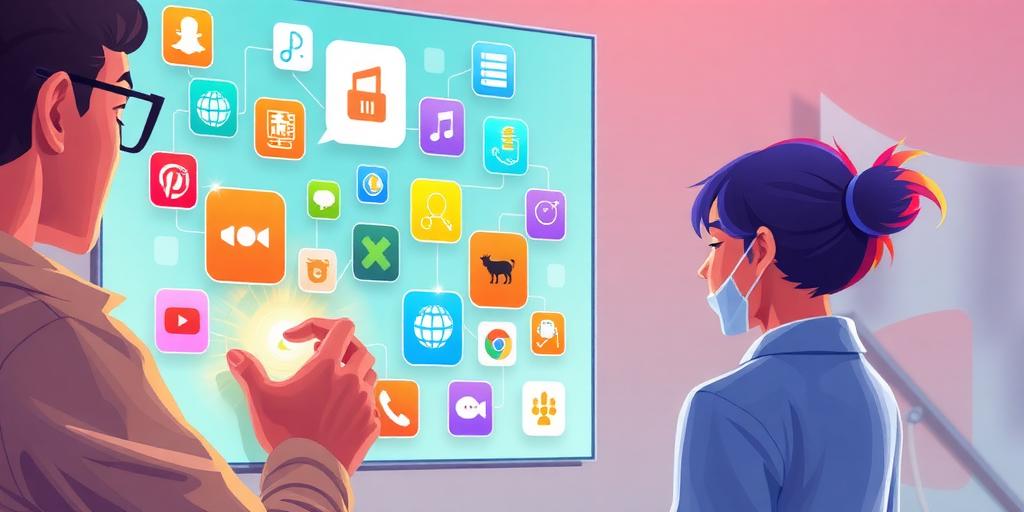
To connect and use apps within ChatGPT, start by navigating to your account settings and selecting “Apps & Connectors“. Here, you’ll find a list of available applications. Simply click on the app you want to connect and follow the authentication prompts to link your account.
Once connected, invoking the apps is straightforward. You can mention the app directly in your conversation, such as saying “Spotify” or “Zillow”. This natural language interaction makes it easy to ask for what you need. For example, you might say, “Spotify, create a playlist of my favorite songs.” If you want to refine your request, use follow-up questions, like asking, “Add more songs to that playlist.”
Managing your account settings efficiently can enhance your experience. Explore the app permissions to ensure that each connected app has the access it needs without compromising your privacy. If you encounter issues connecting an app, check your internet connection, ensure your account details are accurate, and review any notifications from ChatGPT that may provide insights on the problem.
To personalize your experience, you can adjust app preferences. This allows you to manage how notifications appear and which features you want to prioritize, making your interactions smoother. By following these best practices, you can maximize the functionality of the apps and enjoy a seamless experience within ChatGPT.
Example Workflows with ChatGPT Applications

Using ChatGPT with integrated apps opens up a range of workflows that can simplify everyday tasks. For example, if you’re a music lover, you can easily create playlists with Spotify. Just type, “Spotify, make a playlist for my workout,” and follow up by adding or removing songs based on your preferences.
If you’re preparing a presentation, you can design slides using Canva. Start with a prompt like, “Canva, create a presentation on climate change,” and ChatGPT can help you generate the slides, which you can then refine directly in Canva.
For those in the real estate market, a simple prompt such as, “Zillow, show me apartments in Seattle under $400k,” can yield immediate results. You can further customize your search by specifying features like the number of bedrooms or proximity to public transport.
Planning a trip? Use Booking.com through ChatGPT to find accommodations. Ask, “Booking.com, find me a hotel in Paris for next month,” and you can then filter through options to find the best fit for your stay.
For more complex tasks, you can combine multiple apps. Suppose you want to plan a vacation: first, ask Booking.com for hotels, then use Canva to create a travel itinerary, and even incorporate Spotify to select a travel playlist for your journey.
Managing projects also becomes easier with ChatGPT. You can assign tasks using a prompt like, “ChatGPT, assign John to research and Sarah to design the marketing materials for our new campaign,” streamlining the project management process.
Another interesting workflow involves generating marketing materials. You can create eye-catching social media posts with Canva based on content generated in ChatGPT, making it a one-stop-shop for your marketing needs.
Lastly, conducting research has never been simpler. You can ask ChatGPT to pull information from various integrated apps, ensuring you have a well-rounded understanding of any topic. Each of these workflows demonstrates the power of combining ChatGPT with third-party applications to enhance productivity and ease of use.
Understanding the ChatGPT Apps SDK

The Apps SDK is a development framework that allows developers to create apps that function within the ChatGPT environment. Its primary purpose is to enable the integration of various applications directly into ChatGPT, enhancing user interaction and productivity. One of the key features of the SDK is the Model Context Protocol (MCP), which facilitates seamless communication between ChatGPT and external apps, allowing for real-time data exchange and dynamic user experiences. Developers can leverage the SDK to manage account authentication and permissions, ensuring secure access to integrated services.
When creating apps, developers are provided with guidelines to follow for a smooth deployment process. This includes defining actions over APIs for interactive functionalities and understanding how to render inline UI elements within the chat interface. For instance, an app can prompt users with buttons or forms directly in the chat, creating a more engaging experience.
Best practices emphasize the importance of user authentication and permissions, ensuring that users only access what they are authorized to use. For example, when linking a Spotify account, the app must securely handle user credentials and grant permissions to modify playlists.
To help developers get started, there are a variety of resources available, including documentation, tutorials, and community forums where they can learn and experiment with the SDK capabilities. This includes examples of common applications, such as those for music streaming, real estate searches, and travel bookings, showcasing how developers can create practical solutions that enhance the ChatGPT experience.
Future Prospects for ChatGPT Applications

OpenAI has ambitious plans for expanding the range of applications available within ChatGPT. This includes exploring new categories like food delivery and ride-hailing, which would significantly enhance the platform’s utility for everyday tasks. A commerce protocol is also in development, aiming to allow users to conduct transactions directly within the chat interface. This could streamline shopping experiences and make it easier to complete purchases without leaving the conversation.
The potential for AI-driven recommendations is another exciting avenue. As users interact more with applications, ChatGPT could analyze preferences and suggest tailored content or services, making it an even more personalized assistant. Engaging with user feedback will also play a critical role in shaping future updates, ensuring that the applications better meet the needs of users.
Predictions for app usage trends suggest that as more businesses partner with OpenAI, the platform will offer increasingly tailored solutions for various industries. This opens up numerous opportunities for third-party developers to create innovative applications that integrate seamlessly into the ChatGPT environment.
Moreover, enhancements to existing applications will likely follow advancements in technology, ensuring that users benefit from the latest features and improvements. The vision is to create a comprehensive digital assistant experience that not only meets immediate needs but also adapts to changing preferences and behaviors over time.
Final Thoughts on ChatGPT Enhancements

The integration of applications into ChatGPT offers numerous benefits, making workflows more efficient and user-friendly. This seamless experience allows users to leverage multiple apps, like Spotify and Zillow, for various tasks without disrupting the conversation. Looking ahead, the vision for ChatGPT is to enhance user engagement through continuous improvements and updates, creating a more connected digital landscape. These enhancements reflect a significant evolution in how we interact with AI, emphasizing the importance of user feedback in shaping the platform. As users explore these new functionalities, they will likely discover innovative ways to enhance their productivity and creativity. The usability and experience offered by ChatGPT will only get better, encouraging users to take full advantage of all available apps for a streamlined experience.
Frequently Asked Questions
What are OpenAI applications inside ChatGPT?
OpenAI applications inside ChatGPT are tools and features that help users do various tasks, making conversations more efficient and interactive.
How can I integrate OpenAI’s features into my ChatGPT experience?
You can integrate OpenAI’s features by accessing them through the ChatGPT platform, usually found in the app or settings menu.
What types of tasks can OpenAI applications help me with?
OpenAI applications can assist you with tasks like writing, brainstorming ideas, answering questions, and even providing summaries of texts.
Are there specific skills I need to use these applications?
No specific skills are needed; just follow the user-friendly interface and prompts to guide you through the various applications.
How do I stay updated on new features in OpenAI applications?
You can stay updated by checking the official OpenAI blog, newsletters, or community forums for announcements about new features and updates.
TL;DR In 2025, OpenAI enhanced ChatGPT with third-party app integrations for improved workflows. Users can access apps like Spotify, Canva, Zillow, and Booking.com directly in conversations, using natural language commands. To use these apps, connect them in account settings and invoke them by name. The ChatGPT Apps SDK allows developers to create new integrations and future app expansions will include ride-hailing and shopping functionalities. This integration significantly boosts user productivity by streamlining tasks in one conversational space.
Comments are closed