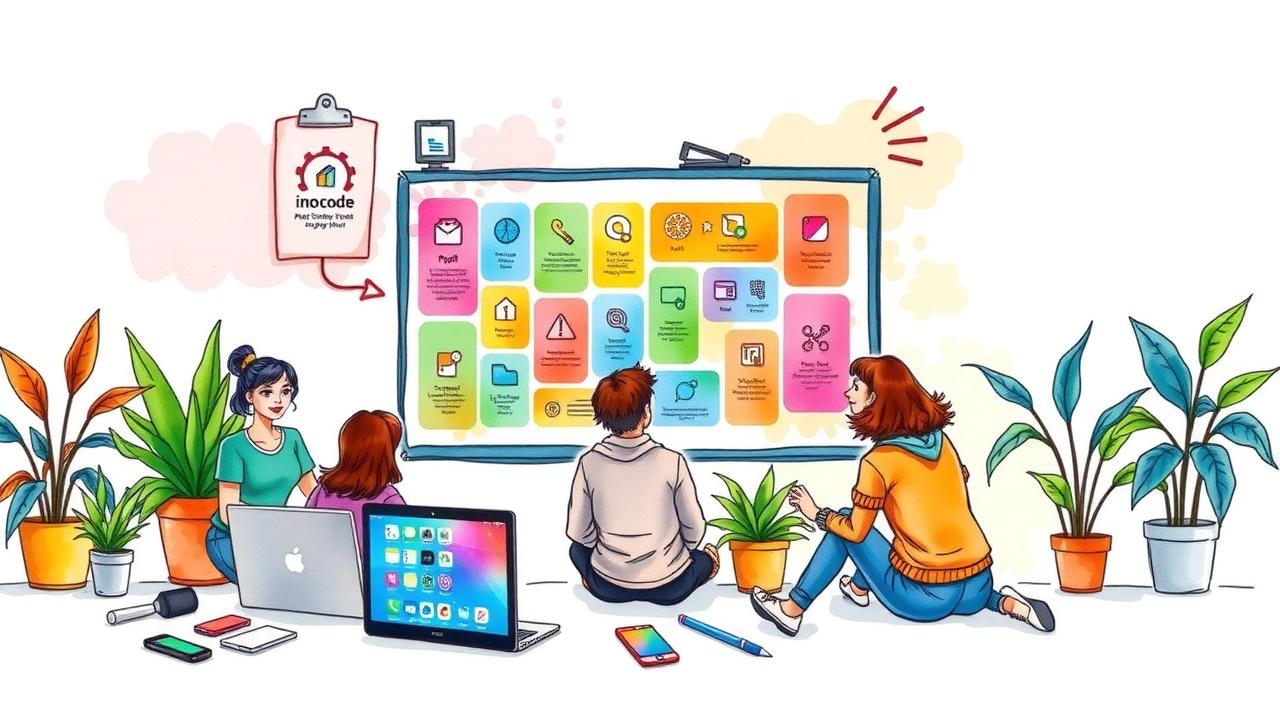
No-code tools are changing how people build apps without needing to write code. With user-friendly drag-and-drop interfaces and ready-made templates, they make app development accessible to everyone, even those with no technical background. The benefits of using these tools include faster application creation, up to 90% quicker, significant cost savings, and increased productivity for teams. In 2025, popular platforms like Bubble and Airtable offer solutions tailored for different needs. When choosing a tool, consider its core features and ability to scale with your business. As no-code continues to evolve, staying updated on trends will help maximize your potential in this space.
Table of Contents
- What Are No-Code Tools?
- Key Benefits of No-Code Tools
- Essential No-Code Tools for 2025
- How to Choose the Right No-Code Tool
- Emerging Trends in No-Code Development
- Challenges of No-Code Development
- Future of No-Code Apps
- Frequently Asked Questions
1. What Are No-Code Tools?

no-code tools are platforms that enable users to create applications, automate processes, and manage data without needing any programming skills. They use visual interfaces and drag-and-drop functionality, making it easy for anyone, regardless of their technical background, to develop functional solutions. The primary aim of these tools is to make app development accessible to a broader audience, allowing individuals to address their unique challenges directly.
Examples of no-code tools include website builders like Wix or Squarespace, workflow automation tools such as Zapier, and app creators like Adalo. These platforms often come with pre-built templates and components that simplify the development process, allowing users to focus more on design and user experience rather than the complexities of coding logic.
No-code tools have gained immense popularity among businesses of all sizes, as they can be used for a range of purposes, from simple tasks like form creation to more complex applications like inventory management systems. This democratization of technology empowers startups and small teams to quickly prototype ideas before committing to full development, significantly reducing time and cost in bringing new products to market.
2. Key Benefits of No-Code Tools
No-code tools offer a range of benefits that can significantly impact how businesses operate. One of the primary advantages is speed, as applications can be built up to 90% faster than traditional coding methods. This rapid development allows teams to iterate quickly, test new ideas, and adapt to market changes without lengthy delays. Cost savings also play a crucial role; companies can save up to 70% on development costs, freeing up resources for other essential areas such as marketing or product enhancement.
Accessibility is another key benefit. No-code platforms empower non-technical users to manage data and automate tasks, reducing reliance on IT departments. This democratization of technology encourages innovation, enabling anyone to create solutions that address specific business needs. Additionally, teams using no-code tools can be up to four times more productive, as they can focus on core activities rather than getting bogged down in complex coding processes.
Agility in development is essential in today’s fast-paced market. No-code tools facilitate a 26% faster time-to-market for applications, allowing businesses to respond quickly to changes and align better with customer demands. Users can make changes on the fly without waiting for developers, which minimizes bottlenecks in project completion and ensures that projects stay on track.
Furthermore, no-code solutions support a lean startup approach by reducing barriers to entry in tech development. Their flexibility allows for easy adjustments as business needs evolve, ensuring that companies can pivot when necessary while maintaining operational efficiency.
- Faster development times allow for quick iterations and testing.
- Lower costs mean businesses can allocate resources to other areas.
- Accessibility encourages innovation from non-technical users.
- Increased productivity allows teams to focus on what matters most.
- Agility in development leads to better alignment with market needs.
- Users can make changes on the fly without waiting for developers.
- No-code tools reduce barriers for entry into tech development.
- They can help in maintaining a lean startup approach.
- Flexibility allows for easy adjustments as business needs change.
- No-code solutions can lead to fewer bottlenecks in project completion.
3. Essential No-Code Tools for 2025
In 2025, several no-code tools stand out for their unique capabilities and user-friendly interfaces. Bubble is an excellent choice for those looking to build complex applications, offering extensive customization options while maintaining a user-friendly design. For solo entrepreneurs, Momen merges frontend and backend development, making it easier to launch projects without a technical team. Glide simplifies the app creation process by transforming Google Sheets into mobile-friendly applications, which is great for quick prototypes.
When it comes to website development, Webflow shines with its responsive design features and hosting services, allowing users to create stunning sites without deep technical knowledge. Framer is another valuable tool, primarily for creating high-quality prototypes and interactive designs, making it ideal for teams focused on user experience.
On the backend side, Airtable integrates database and spreadsheet functionalities, streamlining project management tasks. Xano offers backend services that help users create scalable APIs without writing any code, while Firebase supports real-time data updates, making it perfect for collaborative applications. Lastly, Zapier automates workflows between various apps, saving time on repetitive tasks, which is critical for enhancing productivity.
| Tool Name | Primary Use Case | Key Features |
|---|---|---|
| Bubble | Full-Stack Platform | Dynamic content, Extensive customization, Scalability |
| Momen | Full-Stack Platform | Frontend design, Backend workflows, AI features |
| Glide | Full-Stack Platform | App creation from Google Sheets, Rapid prototyping |
| Webflow | Frontend Builder | Website development, Hosting capabilities |
| Framer | Frontend Builder | Interactive prototypes, Production-ready websites |
| Softr | Frontend Builder | App creation from Airtable data, Directories and marketplaces |
| Airtable | Backend & Database Tool | Spreadsheet and database functionality, Project management |
| Xano | Backend & Database Tool | Scalable APIs, Powerful backend solutions |
| Firebase | Backend & Database Tool | Real-time updates, User authentication |
| Zapier | Workflow Automation | App connectivity, Workflow automation with ‘Zaps’ |
| Make (formerly Integromat) | Workflow Automation | Visual workflow creation, Complex task automation |
| n8n | Workflow Automation | Open-source customization, Automation tool |
| Figma | Design & Prototyping | Collaborative design, Prototyping tools |
| V0 | Design & Prototyping | User-friendly rapid prototyping interface |
| Auth0 | User Authentication & Access Control | User management, Single sign-on |
| Clerk | User Authentication & Access Control | Pre-built components, Role-based access control |
4. How to Choose the Right No-Code Tool
Choosing the right no-code tool can significantly impact your project’s success. Start by identifying the core features you need. Consider what functionalities are essential for your app, such as user authentication or workflow automation. Next, evaluate customizability. Ensure the tool allows you to adjust templates and workflows to fit your specific needs and processes.
Ease of use is another critical factor, especially for team members who may not have a technical background. A user-friendly interface can facilitate smoother collaboration and quicker onboarding. Additionally, assess scalability to ensure the tool can grow with your business. As your needs evolve, you want a platform that can handle increased data and user demands.
Integration options are also vital. Check if the tool connects seamlessly with your existing software and tools. This can save time and avoid complications down the line. Look for user support and community resources as well. A platform with a strong support system can make troubleshooting and learning much easier.
Consider the pricing model to ensure it aligns with your budget. Some tools may have hidden costs or tiered pricing structures that could affect your overall spending. Evaluate the learning curve for new users; some platforms may require more time to master than others. Finally, read reviews and case studies to gather insights from other users about their experiences. Testing a few tools with free trials can also help you find the right fit without making a long-term commitment.
5. Emerging Trends in No-Code Development
AI integration is playing a crucial role in no-code development, automating tasks and enhancing user experiences. For example, platforms are utilizing AI to suggest workflows or streamline data entry, making the process smoother for users. Additionally, industry-specific no-code solutions are on the rise, designed to meet the unique needs of sectors like healthcare, finance, and education, allowing businesses to address challenges effectively. Collaboration features are also improving, enabling teams to work together seamlessly on projects, which is essential in today’s remote work environment.
No-code tools are evolving to support more complex applications, moving beyond simple forms and dashboards to enable the creation of sophisticated software. This shift is empowering businesses to tackle larger projects without needing extensive technical resources. Moreover, a growing focus on security features is being introduced, ensuring that sensitive data is protected and compliance is maintained, which is increasingly important in various industries.
The rise of citizen developers, non-technical users who create applications, has changed how organizations view IT roles, allowing for more democratized innovation. With this shift, more educational resources are becoming available for beginners, helping to equip them with the skills needed to navigate these platforms confidently. Integration with existing systems is also becoming smoother, enabling users to connect their no-code applications with tools they already use, like CRMs or email marketing software. Finally, community-driven development is fostering innovation, as users share feedback and collaborate on improving no-code solutions, while a mobile-first design is increasingly prioritized, ensuring that apps built on these platforms are accessible and functional on mobile devices.
6. Challenges of No-Code Development
While no-code development opens many doors, it also presents several challenges that users should be aware of. One major issue is limited customization. Many no-code platforms provide templates and predefined options, which can restrict unique project requirements. If your app needs specific features or functions, you might find yourself constrained by what the platform offers.
Scaling applications can also pose difficulties. Users often face challenges when trying to expand their app’s functionality beyond basic features. As a project grows, the limitations of the no-code solution may become apparent, leading to frustration. Additionally, dependence on the platform’s capabilities can be a concern for complex projects. If a platform lacks certain functionalities, it may hinder the app’s development.
Integration with legacy systems can sometimes be problematic. Many businesses rely on older systems that may not easily connect with modern no-code tools, resulting in data silos. Furthermore, while no-code tools are designed for ease of use, learning curves for advanced features can still exist. Some users may struggle with understanding how to utilize more intricate capabilities effectively.
Performance issues can arise, especially with larger applications. As the app scales, performance may degrade, leading to slow load times and a poor user experience. Security is another critical concern; if not properly managed, security risks can emerge, putting sensitive data at risk.
Vendor lock-in is another challenge. Once you build your app on a specific platform, switching to another can be difficult and costly, limiting flexibility in the long run. Lastly, support and documentation can vary significantly among platforms, making it hard for users to find help when needed. Rapid changes in no-code tools can also lead to confusion, as features and interfaces may change frequently, requiring users to adapt quickly.
7. Future of No-Code Apps
The future of no-code apps looks promising, with the market for these tools expected to grow significantly in the coming years. More businesses are likely to adopt no-code solutions to enhance productivity and drive innovation. As emerging technologies like AI and machine learning become integrated into no-code platforms, users will benefit from smarter automation and improved functionality. Startups and small businesses will find no-code tools essential, enabling them to develop applications quickly without extensive coding expertise.
Collaboration features are set to improve, making it easier for teams to work together on projects. We can also expect to see more tools designed for specific industries and niches, addressing unique challenges in areas like healthcare or finance. User feedback will play a crucial role in shaping the evolution of these platforms, as developers aim to create more user-friendly experiences.
Training and educational resources will expand, helping new users understand how to leverage no-code tools effectively. Additionally, mobile applications created through no-code solutions will become more prevalent, reflecting the growing demand for mobile accessibility. As these platforms evolve, the gap between technical and non-technical users will continue to shrink, making app development a more inclusive process.
Frequently Asked Questions
What are no code apps and how do they work?
No code apps allow you to create software or applications without writing code. They use visual tools and pre-built components, making it easier for anyone to build apps.
Can I really build a full app without any coding skills?
Yes, you can build a complete app without coding. No code platforms provide simple interfaces that guide you through the process, so you can focus on your ideas rather than programming.
What types of applications can I create using no code tools?
You can create various types of applications like websites, mobile apps, workflows, and data management tools, depending on the no code platform you choose.
Is it difficult to learn how to use no code platforms?
Most no code platforms are designed for beginners and include tutorials and templates, making it relatively easy to learn how to use them.
Are no code apps suitable for business use as well?
Absolutely, no code apps are great for businesses. They can help streamline processes, manage tasks, and improve efficiency without needing technical expertise.
TL;DR No-code tools enable users to create applications without coding, using user-friendly interfaces. Key benefits include speed, cost savings, accessibility, and improved productivity. Essential tools for 2025 range from platforms like Bubble and Glide for full-stack development to automators like Zapier. When choosing a tool, consider functionality, ease of use, and scalability. Emerging trends include AI integration and industry-specific solutions, while challenges still exist. Overall, no-code apps are set to revolutionize business operations.
Comments are closed