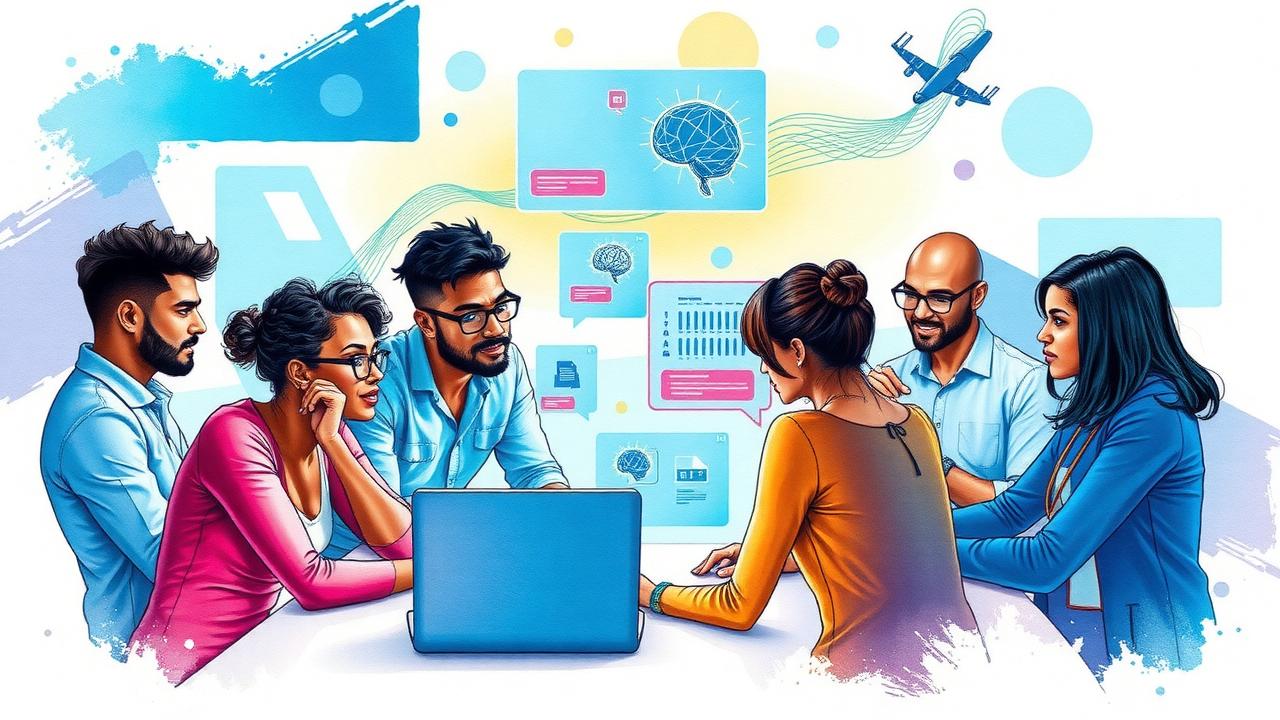
In 2025, developers will see a shift toward agentic workflows, moving beyond simple prompting to using agents capable of handling complex tasks autonomously. Tools like the Responses API and Agents SDK will enable the creation of more efficient applications through multi-step workflows. Enhancements in multimodality mean that developers can now incorporate text, images, and audio in one project. Reasoning models will also allow for improved decision-making processes while Codex evolves as a coding assistant to help generate code and execute tasks directly from the terminal using the new Codex CLI. New safety features will promote greater human oversight during development.
Table of Contents
- Overview of OpenAI Developments in 2025
- Transition to Agentic Workflows
- Exploring Enhanced Multimodality
- Advancements in Reasoning Models
- Evolution of Codex as a Coding Partner
- Ensuring Safety and Control in Coding
- Best Practices for Effective Prompting
- Leveraging Plan Modes for Complex Tasks
- Utilizing AGENTS.md for Guidance
- Maintaining Configuration Consistency
- Importance of Iterative Testing and Review
- Using MCP for External Context
- Transforming Repeated Tasks into Skills
- Setting Up Automations for Efficiency
- Recommended Tools for OpenAI Developers
- Frequently Asked Questions
1. Overview of OpenAI Developments in 2025

2025 saw significant advancements in OpenAI’s offerings for developers, particularly with the shift toward agentic workflows. This transition emphasizes the importance of intelligent agents capable of managing complex tasks autonomously, moving beyond simple task execution. The introduction of the Responses API has enabled developers to create applications that process intricate requests and deliver multi-step outputs, enhancing the overall functionality of software solutions.
The Agents SDK provides a robust framework for building these autonomous agents, allowing them to make decisions and execute tasks with minimal human intervention. Real-world deployments have showcased these agents’ adaptability, demonstrating their effectiveness in handling unpredictable situations while catering to user needs. Continuous user feedback mechanisms have been integrated to refine agent performance, ensuring they evolve based on real-time data and interactions.
Moreover, the ability to integrate agents into existing workflows minimizes disruption, resulting in significant productivity gains. Support for multi-agent collaborations allows different agents to work in concert on single projects, further enhancing efficiency. Case studies from various industries illustrate the successful implementation of these agentic workflows, highlighting their transformative potential. Alongside these developments, training resources and best practices have been made available, equipping developers with the knowledge needed to harness these powerful tools effectively.
2. Transition to Agentic Workflows
Agentic workflows refer to systems where autonomous agents carry out tasks with minimal human intervention, making them significant in software development. These workflows can handle a range of tasks, from automating simple reminders to executing complex data analyses. For example, a developer could implement an agent that automatically generates reports based on real-time data, streamlining operations and reducing manual workload.
The impact of agentic workflows extends to team collaboration and communication, as these systems can manage repetitive tasks, allowing team members to focus on higher-level responsibilities. However, transitioning to such workflows poses challenges, including resistance to change and the need for retraining. Developers can address these issues by gradually introducing agents into existing systems, ensuring team members understand their benefits and functionalities.
Tools like the Agents SDK and the Responses API are available to assist developers in this transition, enabling the creation of agents that can integrate seamlessly into established workflows. Best practices include designing agents with user experience in mind, ensuring interactions are intuitive and straightforward. Additionally, evaluating the effectiveness of agentic workflows through metrics such as task completion time and user satisfaction is essential for continuous improvement.
As developers deploy autonomous agents, they must also consider the ethical implications of these systems, especially when they take on decision-making roles. Future trends suggest that agentic workflows will continue to evolve, potentially reshaping software development by enabling more efficient and reliable processes.
- Definition of agentic workflows and their significance in software development.
- Examples of tasks that can be automated using agents, from simple reminders to complex data analysis.
- Impact of agentic workflows on team collaboration and communication.
- Challenges developers may face when transitioning to agentic workflows and potential solutions.
- Tools and resources available for developers to facilitate the transition to agentic workflows.
- Best practices for integrating agents into existing systems without major disruptions.
- Importance of user experience in designing agent interactions, ensuring ease of use.
- Evaluation metrics for assessing the effectiveness of agentic workflows.
- Understanding the ethical implications of deploying autonomous agents in decision-making roles.
- Future trends in agentic workflows and their potential to reshape software development.
3. Exploring Enhanced Multimodality
Multimodality in AI refers to the integration of different types of data, such as text, images, audio, and video, into a cohesive application. This approach allows developers to create richer user experiences by leveraging multiple data types simultaneously. OpenAI’s APIs now support these multimodal capabilities, enabling applications to process and analyze various forms of content. For instance, developers can design systems that generate descriptive text based on images or analyze audio clips alongside text documents.
The use of multimodal data enhances user interactions and outcomes. By combining different modalities, developers can provide users with more context and richer information, ultimately leading to better decision-making. For example, a healthcare app could analyze patient data from text records and medical imaging to offer comprehensive insights into a patient’s condition.
When implementing multimodal features, developers should consider technical aspects such as data management and workflow integration. Efficiently handling diverse data types in a cohesive system is crucial. This may involve using specialized libraries or frameworks that streamline the processing of different modalities. Additionally, performance optimization is vital when dealing with large multimodal datasets, as data size and complexity can impact processing times and resource usage.
Understanding user preferences is another key factor in tailoring multimodal experiences. By collecting feedback and analyzing user interactions, developers can refine their applications to better meet user needs. Future directions for multimodal development in AI may involve more advanced integration techniques and collaborative opportunities for developers to share insights and innovations, ultimately pushing the boundaries of what is possible in this exciting field.
| Aspect | Details | Benefits |
|---|---|---|
| Definition of multimodality | Its role in AI applications | Enhances user interactions by combining data types |
| Examples of multimodal capabilities | OpenAI’s APIs processing text, images, audio, and video | Enriches applications with diverse data formats |
| Technical considerations | Implementation challenges for developers | Ensures cohesive workflow across data types |
| Case studies | Success stories from different sectors | Illustrates the effectiveness of multimodal applications |
| Best practices | Managing various data types | Promotes efficient use of multimodality |
| Strategies for performance optimization | Dealing with large datasets | Improves efficiency and response times |
| User preferences | Tailoring experiences with multimodal inputs | Enhances user satisfaction and engagement |
| Future directions | Trends in multimodal development | Potential to revolutionize AI applications |
| Collaborative opportunities | Sharing insights and innovations | Fosters community growth around multimodality |
4. Advancements in Reasoning Models
Reasoning models play a crucial role in enhancing AI’s decision-making capabilities. With the introduction of new models like o1 and o3, developers now have tools that support more complex reasoning processes. These models are designed to evaluate multiple factors before reaching conclusions, which is essential for tasks that require nuanced decision-making. For instance, in financial forecasting, o3 can analyze historical data, market trends, and risk factors simultaneously, providing more reliable outcomes.
Developers can tune these reasoning models according to specific needs, balancing cost and latency against the quality of results. This flexibility allows for customization based on the context in which the model operates. However, building effective reasoning models comes with challenges, such as ensuring accuracy and managing computational demands. To address these, developers can adopt strategies like iterative testing, where models are continually refined based on performance feedback.
Integrating reasoning models into existing workflows can significantly enhance decision-making processes. For example, a customer service application could use a reasoning model to assess customer inquiries, prioritizing responses based on urgency and complexity. Evaluating the accuracy and reliability of these models is essential, and developers can employ various metrics to ensure they meet performance standards.
Training resources are available for developers looking to deepen their understanding of reasoning models, from online courses to community forums. Additionally, community-driven initiatives are emerging, allowing developers to share knowledge and best practices related to reasoning models. Looking forward, trends indicate that reasoning models will continue to evolve, leading to even more sophisticated applications in diverse fields.
5. Evolution of Codex as a Coding Partner
Codex has come a long way since its early days, evolving into a powerful coding partner that significantly enhances developer productivity. Initially focused on simple code generation, it now understands complex repository structures, making it adept at assisting with code generation across various projects. The introduction of features like the Codex CLI has streamlined the integration of Codex into developer workflows, allowing commands to be executed directly in the terminal. This feature enhances efficiency by enabling developers to interact with Codex seamlessly, whether they are generating new code or executing existing functions.
Codex is not just about generating new code; it also excels in debugging and code reviews. Developers can rely on Codex to identify potential issues in their code, suggest fixes, and even conduct thorough reviews to ensure coding standards are met. User experiences have showcased the benefits of utilizing Codex, with many developers noting significant time savings and improved code quality.
Customization is another key aspect of Codex’s evolution. Developers can tailor Codex to suit their specific needs, whether that means adjusting its behavior to align with certain coding standards or training it on unique project requirements. Keeping Codex updated with the latest programming trends and languages is crucial for maintaining its effectiveness as a coding partner.
To maximize the benefits of Codex, developers should adopt best practices for collaboration. This includes providing clear prompts and utilizing the model’s capabilities in a structured manner. By training Codex on specific coding standards, teams can ensure that the output aligns with their expectations. Future enhancements for Codex promise even greater capabilities, potentially transforming how software development is approached and executed.
6. Ensuring Safety and Control in Coding
OpenAI’s coding tools come equipped with various safety features designed to protect developers and their projects. One of the key aspects is the emphasis on human oversight during automated coding tasks. This is crucial, as even advanced AI can make errors or produce unexpected results. To mitigate risks, sandboxing features allow developers to test code changes in a secure environment before integration into the main codebase. Additionally, approval modes require a human to review changes, ensuring that any modifications are deliberate and vetted.
Establishing a safe coding environment with Codex involves following best practices. For instance, developers should create a robust testing strategy that not only checks functionality but also identifies potential security vulnerabilities. There are real-world examples where safety features have caught coding errors that could have led to significant issues if left unchecked. To help developers understand safety measures, OpenAI provides training resources and community feedback mechanisms. These platforms enable users to report safety concerns and contribute to ongoing improvements.
While safety is paramount, it also presents challenges, particularly in balancing efficiency and automation. Striving for higher efficiency can sometimes lead to overlooking safety protocols. Looking ahead, the focus will likely be on enhancing these safety and control mechanisms, ensuring that AI-driven coding remains both innovative and secure.
7. Best Practices for Effective Prompting

Effective prompting is crucial for maximizing Codex’s potential. It involves crafting prompts that are clear and specific, which guides Codex’s output in a meaningful way. For example, instead of asking Codex to “write a function,” a more effective prompt would specify, “write a Python function to calculate the factorial of a number using recursion.” This level of detail helps Codex understand the exact requirements.
When you craft prompts, think about the context required for Codex to generate accurate results. Providing additional information, like the programming language or the expected input/output formats, can significantly enhance the quality of the response.
Iterating on prompts based on feedback is also key. If Codex doesn’t deliver the expected results, refine your prompt. For instance, if an initial prompt leads to a generic answer, consider adding constraints or examples of what you’re looking for.
Common pitfalls include being too vague or using jargon that Codex might not understand. Avoid prompts like “make it better” without context; instead, specify what aspects need improvement.
Collaboration can enhance prompting strategies. Team members should share successful prompts, which can provide new insights and ideas. Additionally, developers can improve their prompting skills by utilizing training resources available on OpenAI’s platform.
Use cases illustrate the impact of effective prompting. For instance, teams that use well-defined prompts often see quicker iterations and higher-quality code generation, leading to more successful project outcomes. As the landscape of AI evolves, staying ahead with innovative prompting strategies will be essential for effective interactions with Codex.
8. Leveraging Plan Modes for Complex Tasks
Plan modes are a powerful feature that enhance the capabilities of Codex, enabling it to tackle complex tasks more effectively. These modes allow Codex to gather context and ask clarifying questions before executing any code. By understanding the requirements and constraints upfront, Codex can generate more accurate and relevant outputs. For example, when developing a multi-step application, using Plan modes helps Codex design and implement a robust architecture rather than just generating isolated snippets of code.
Complex tasks like integrating APIs, structuring large-scale applications, or developing algorithms benefit significantly from Plan modes. These tasks often require a deep understanding of multiple components and their interactions. By employing Plan modes, developers can ensure that Codex considers the entire context, leading to better solutions and fewer iterations.
To utilize Plan modes effectively, developers should start by clearly defining the goals and providing sufficient context. This includes specifying the expected inputs, outputs, and any constraints that should be considered. It is also helpful to break down the task into smaller, manageable steps that Codex can tackle one at a time.
User experiences highlight the effectiveness of Plan modes in real-world applications. For instance, a case study revealed that a team reduced their development time by 30% when using Plan modes for a complex data processing task. By allowing Codex to plan the workflow, they were able to identify potential issues early and refine their approach.
Integrating Plan modes into existing workflows can be seamless with a few strategic adjustments. Create a template or guideline for how to structure tasks when using Codex, ensuring that all team members understand the importance of context. Additionally, maintain clear documentation on how Plan modes have been used in past projects to serve as a reference.
While implementing Plan modes can bring numerous benefits, developers may face challenges such as resistance to change or difficulty in structuring tasks appropriately. To address these issues, teams should adopt an iterative approach, gradually introducing Plan modes into their processes and providing training resources to build confidence.
Training resources are readily available, including documentation, tutorials, and community forums focused on Plan modes. Engaging with these resources can enhance understanding and facilitate effective usage.
Looking ahead, future enhancements for Plan modes are expected to focus on improving context gathering and decision-making capabilities. These advancements could further streamline complex workflows and make Codex an even more valuable partner in software development. Community initiatives are also emerging, aimed at sharing insights and innovations related to Plan modes, fostering collaboration among developers.
9. Utilizing AGENTS.md for Guidance
AGENTS.md serves as an essential document for guiding Codex operations within a project. Its primary purpose is to offer a clear framework that outlines the project structure, coding standards, and testing protocols. This documentation ensures that all team members are on the same page, promoting consistency and clarity in coding practices. Maintaining and updating AGENTS.md is crucial as projects evolve, so it’s important to establish a routine for reviewing and revising the document. For instance, scheduling bi-weekly meetings to discuss changes can help keep the content fresh and relevant.
One of the standout benefits of AGENTS.md is how it fosters collaboration among team members. By having a unified reference point, teams can reduce misunderstandings and errors, leading to more efficient workflows. Integrating AGENTS.md into the development process can be achieved through simple strategies, such as linking it in the README file or setting up notifications for updates. Furthermore, encouraging community contributions can enhance AGENTS.md by allowing developers to share their insights and best practices, creating a richer resource for everyone involved.
To aid developers in crafting effective AGENTS.md files, various tools and resources are available, such as templates and style guides. However, challenges exist, particularly in keeping the document up-to-date. One strategy to overcome this is to assign ownership of AGENTS.md to a specific team member who will be responsible for its ongoing maintenance. Implementing a peer review mechanism can also ensure that the content remains accurate and useful. Looking ahead, enhancements to AGENTS.md may include more interactive features or integration with development environments, further streamlining its use in day-to-day operations.
10. Maintaining Configuration Consistency
Configuration consistency refers to the practice of ensuring that all project settings and configurations are uniform across different environments and projects. This consistency is critical in development as it helps in reducing errors, streamlining workflows, and improving collaboration among team members. Standardizing Codex configurations across projects ensures that developers have a reliable foundation on which to build and maintain their applications.
One effective strategy for implementing consistent configurations is to use version control systems, such as Git. By storing configuration files in a version control repository, teams can easily track changes, roll back to previous versions if necessary, and collaborate on updates without conflict. For example, a team might maintain a central configuration repository that includes settings for Codex API usage, coding styles, and deployment processes, which can be referenced across multiple projects.
Numerous examples illustrate how maintaining configuration consistency has led to improved project outcomes. For instance, a software development team that adopted a standardized configuration for their coding environment reported a significant decrease in onboarding time for new developers, as everyone was working with the same setup. This uniformity also reduced the number of bugs related to configuration mismatches during deployment.
Monitoring and updating configurations over time is another essential practice. Regular reviews and audits of configuration settings help ensure that they remain relevant and effective. Developers should establish a schedule for these reviews and utilize tools that can alert them to any deviations from the standard configurations.
To help developers understand the significance of configuration management, various training resources are available. Online courses and workshops can provide insights into best practices and the use of specific tools. Furthermore, community-driven initiatives often share configuration best practices, allowing developers to learn from each other’s experiences.
However, maintaining configuration consistency is not without challenges. Teams may face difficulties such as differing team member preferences or lack of awareness of existing configurations. To address these issues, establishing clear guidelines and documentation can foster a culture of consistency.
Several tools and technologies exist to assist with configuration management, including Ansible, Puppet, and Terraform. These tools automate the configuration process, making it easier to apply consistent settings across environments.
Looking ahead, future trends in configuration management suggest a growing emphasis on automation and AI-driven solutions. As development practices continue to evolve, embracing these advancements will be crucial for maintaining efficiency and consistency in software development.
11. Importance of Iterative Testing and Review
Iterative testing and review are crucial for successful development with OpenAI tools in 2025. Conducting regular code reviews helps identify issues early, which saves time and effort later. Automated testing tools can assure code quality by catching bugs before deployment, allowing developers to focus on building features rather than fixing problems. Establishing a feedback loop is vital, as it encourages developers to learn from both mistakes and successes. By sharing testing strategies and results, teams can collectively improve their approaches.
Maintaining a checklist that aligns with project goals ensures that all necessary testing criteria are met, addressing user needs effectively. Documenting test cases and results creates a valuable knowledge base for future reference, making it easier to replicate successful strategies or avoid past pitfalls. Periodic reviews of project outcomes also help assess the effectiveness of testing methodologies, allowing for adjustments where necessary.
Using version control facilitates tracking changes and makes it easier to roll back if issues arise during testing. Engaging stakeholders in the review process provides diverse perspectives, ensuring that different requirements are considered. Lastly, fostering a culture of continuous improvement by revisiting and refining testing processes can lead to more efficient and reliable outcomes.
12. Using MCP for External Context
Implementing the Model Context Protocol (MCP) can significantly enhance the relevance of AI outputs in your applications. By connecting your Codex implementation with external APIs, you can fetch real-time data that enriches the context of the tasks at hand. For instance, if your application involves user queries about current weather conditions, integrating an API that provides live weather data will allow Codex to generate responses that are timely and accurate.
Utilizing MCP also means you can incorporate contextual information about users or specific tasks into the model’s responses. This personalized approach can improve user satisfaction and engagement. To streamline integration, consider developing a library of commonly used external data sources that your team can rely on. Additionally, creating templates for MCP configurations can simplify the setup process for different projects, making it easier for developers to get started.
Monitoring the performance of MCP connections is essential. Keeping an eye on data accuracy and timeliness will ensure that your application remains reliable. Training team members on best practices for using external contexts will also help maintain a high standard of output. It’s beneficial to use MCP to facilitate seamless interactions between Codex and other software tools, enhancing overall efficiency.
Lastly, evaluate the impact of external data on model performance through A/B testing. This will provide insights into how well your integration works and allow for continuous improvement. Sharing successful MCP use cases within your developer community can also foster collaboration and innovation, leading to better solutions for everyone.
13. Transforming Repeated Tasks into Skills
Identifying repetitive tasks is the first step towards improving efficiency in your development workflow. Look for tasks that occur frequently and explore ways to automate them. By creating reusable code snippets for common functions, you can streamline future projects. This not only saves time but also ensures consistency across your work.
Develop a library of reusable skills that your team can easily access and invoke whenever needed. Encourage team members to document their workflows, as this can facilitate skill development and make it easier for others to learn from each other.
Integrating skills with the Codex API can significantly enhance your automation capabilities. This allows for smoother execution of tasks without the need for constant manual input. Utilize version control to manage updates to these shared skills, ensuring that your team is always working with the most current versions.
Regularly review and refine your skills to adapt to changing project requirements. Hosting workshops can be beneficial, as they provide training on how to effectively use and create skills. Additionally, leveraging user feedback can help improve and evolve the skill set over time. Establishing a central repository for all skills will ensure that everyone on the team can access them easily, fostering a more collaborative environment.
14. Setting Up Automations for Efficiency
Identifying key workflows that can benefit from automation is crucial for improving productivity. Start by mapping out repetitive tasks that take up valuable time, such as data entry, report generation, or status updates. Tools like Zapier or Integromat can help automate these tasks by connecting different applications, reducing manual effort. Implementing scheduling features allows these automations to run at specific times or trigger based on certain events, like form submissions or email receipts.
Integrating notifications is also important to keep team members informed about automation outcomes. This keeps everyone in the loop without requiring them to check manually. Before deploying any automation, ensure thorough testing is conducted to prevent errors during execution, as mistakes can lead to miscommunication or data loss.
Creating a documentation hub that outlines all automations and their purposes can be beneficial. This serves as a reference for your team, making it easier to understand what automations exist and how they work. Regularly assessing the effectiveness of these automations is key to maintaining efficiency; gather feedback and make adjustments as needed.
Encouraging team members to suggest new automation opportunities based on their experiences can foster innovation. Everyone has unique insights into their workflows that might reveal new areas for improvement. Additionally, developing a training program can help team members understand how to create and manage automations effectively, leading to a more empowered workforce.
Fostering a culture of innovation where automating tasks is seen as a valuable initiative can significantly enhance overall productivity. Emphasizing the benefits of automation and providing the right tools can help teams work smarter, not harder.
15. Recommended Tools for OpenAI Developers
OpenAI Codex is a powerful tool for code generation and assistance in various programming languages, helping to streamline development. The Responses API allows developers to manage complex multi-step workflows efficiently, making it easier to build robust applications. For those looking to create custom agents, the Agents SDK provides a framework for automating tasks with OpenAI models.
Version control systems like Git are essential for managing code and collaboration effectively, while platforms such as GitHub or GitLab enhance teamwork by enabling seamless code sharing and review. Testing frameworks such as Jest or Mocha ensure code reliability through structured testing processes. To maintain clear API documentation, tools like Swagger or JSDoc can be very useful.
Project management tools like Trello or Asana help track development progress, allowing teams to stay organized and focused on tasks. Communication tools, including Slack or Microsoft Teams, foster collaboration among team members, ensuring that everyone is on the same page. Finally, staying updated with the latest OpenAI resources and community insights through forums and blogs is crucial for continuous learning and improvement.
Frequently Asked Questions
What are the main benefits of using OpenAI for developers?
Using OpenAI can help developers create smarter applications, improve user interactions, and automate various tasks. It can save time and enhance productivity by providing powerful tools for generating content, answering questions, and much more.
How can developers make sure they’re using OpenAI safely and responsibly?
Developers should understand the guidelines and best practices for using OpenAI’s technology. This includes respecting user privacy, avoiding sensitive or harmful content, and ensuring their applications follow ethical standards.
What should developers consider when integrating OpenAI into their projects?
Developers should think about the specific use case, the target audience, and how the technology will enhance the user experience. It’s also important to consider the technical requirements and any limitations of the API.
How can developers get support or help with OpenAI-related issues?
Developers can access various resources like documentation, community forums, and support channels provided by OpenAI. These resources can help troubleshoot issues or answer questions about integration.
Are there specific programming languages that work best with OpenAI’s tools?
OpenAI’s tools can be used with many programming languages. Popular choices include Python, JavaScript, and Ruby. The key is to use a language that suits the project’s requirements and your own expertise.
TL;DR In 2025, OpenAI enables developers to utilize advanced agentic workflows, enhanced multimodality, and improved reasoning models for more effective applications. Codex has evolved to be an adept coding partner, providing safety and control for developers. Key best practices include crafting specific prompts, using plan modes for complex tasks, maintaining configuration consistency, and turning repeated tasks into reusable skills. Recommended tools such as the Responses API and Agents SDK streamline workflows, enhancing efficiency in software development.
Comments are closed